Your site, before it goes live
A reading copy for both owners. It is not the live site: buyers do not see it, search engines do not list it, and the form sends nothing. The grey placeholders (Your Business Name, 000-000-0000, hello@example.com, [City], FL, the second owner's name) are filled in at go-live.
How to give your feedback
- Open the site on your phone and read it top to bottom, the way a practice manager would.
- Every sentence that makes a promise carries a small tag, C-01 to C-20. The same tags are listed below, with the sentence in full.
- For each tag, tell Benoit one of three things: yes, as writtenchange it to …take it out
- Text or email Benoit the tag and your answer. Both owners answer; the site goes live only when both have said yes to every line.
Four decisions only you can make
- The proof line. A cleaner next to you shows "insured and bonded" on the first screen. Your site shows it only once the liability certificate and the janitorial bond exist. Get the two quotes; the line goes up the day the documents do.
- A photo. The site shows Cedrick's name under the story and no photo. Decide whether a photo of one or both of you goes live, and where.
- A price signal. The site says the walkthrough is free, with no obligation (C-20). Do you also want a "from" monthly price for a 3,000 to 8,000 square foot office? If yes, name the number.
- Paper handling. The site promises that papers stay where they are and that only the bins you mark are emptied. Shredding on request is not on the site until your lawyer answers the medical-records question. Decide whether to offer it in contracts only, or not at all.
The promises on the site, waiting for your yes
Each one is a statement about your business, written from what you told Benoit. Confirm it, change it, or take it out.
- C-18The headline and the browser title
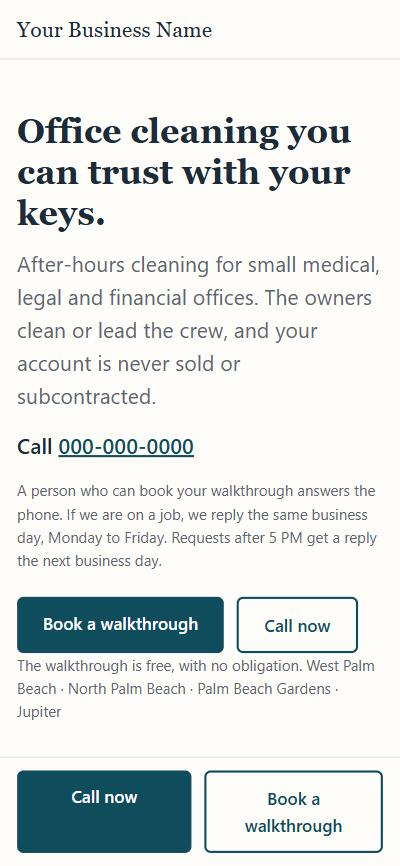
Office cleaning you can trust with your keys.
- C-07The first screen, under the headline; also the text search engines show
After-hours cleaning for small medical, legal and financial offices. The owners clean or lead the crew, and your account is never sold or subcontracted.
"Nightly" became "after-hours": two owners cannot promise five nights a week before the crew exists.
- C-20The first screen; step 2 of "How it works"; the search text
The walkthrough is free, with no obligation.
Added after a buyer's review. If you do not want it, it comes out of all four places.
- C-03The first screen (the phone line) and the third proof
A person who can book your walkthrough answers the phone. No call center.
True during the 30-day test, when Benoit answers, and after it, when one of you does.
- C-04The first screen, "How it works", the form, the thank-you page
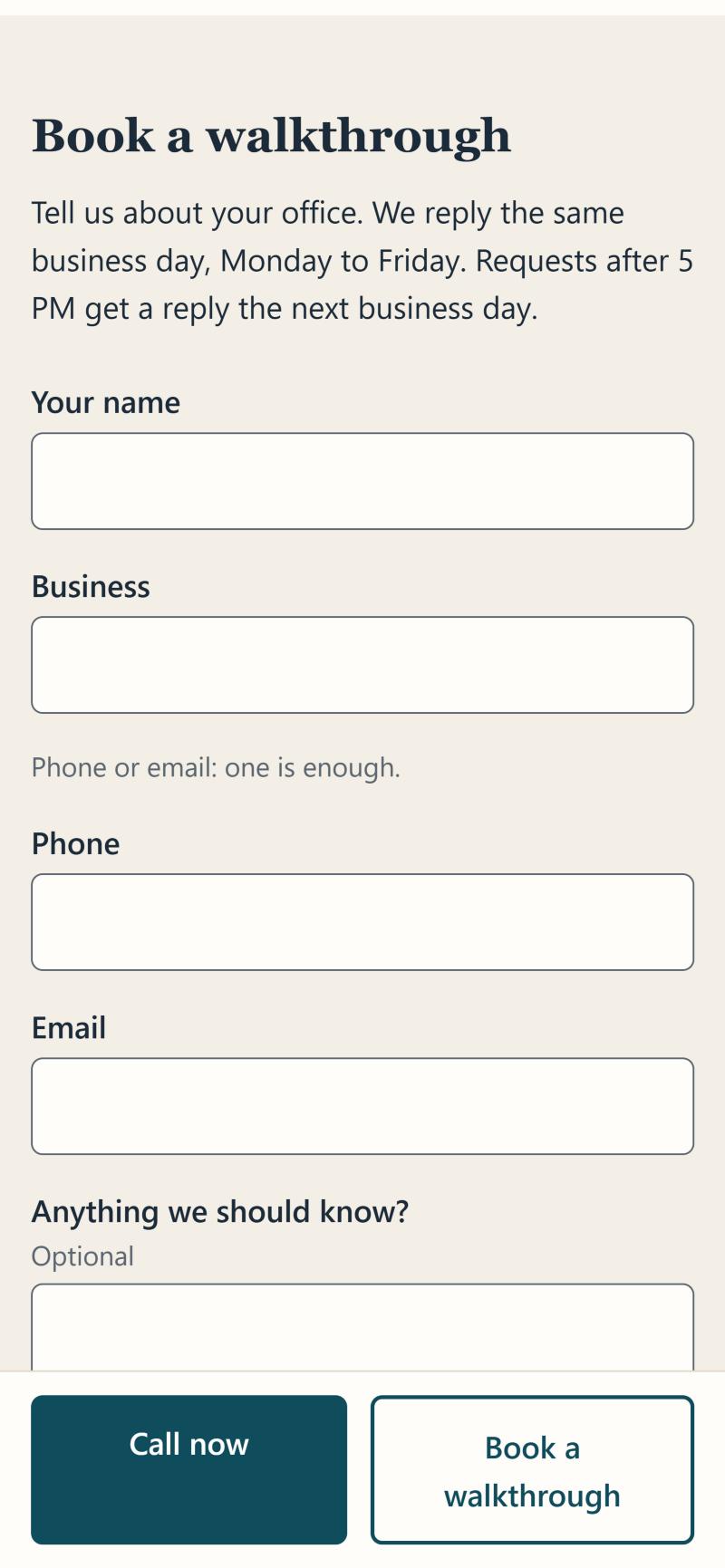
We reply the same business day, Monday to Friday. Requests after 5 PM get a reply the next business day.
You choose the days and the cut-off. The earlier wording promised one hour, 8 AM to 8 PM, seven days a week; that did not fit seven owner hours a week.
- C-19The first proof, the heading
The owners lead every account.
- C-01The first proof
The owners clean your office or lead the crew that does. Your account is never sold or subcontracted.
- C-02The second proof
Papers stay where they are. Only the bins you mark are emptied. Doors and alarms are checked every shift.
- C-08Services, the opening line
After-hours cleaning, on the schedule you set, for offices of 3,000 to 8,000 square feet.
- C-14Services, medical offices
Exam rooms, waiting rooms, restrooms and staff areas, with the products your office approves.
- C-15Services, law and financial offices
Desks, conference rooms, kitchens and restrooms, with every file left where you left it.
- C-16Services, the schedule
Client-facing areas first, every visit, on the schedule you set.
- C-05How it works, step 2 and 3
A 20-minute walkthrough, then a written quote within 48 hours.
- C-06How it works, step 4
Month to month after the first clean. No long contract.
- C-09The story, both paragraphs
Cedrick's story in his own words: the bank, the offices after 5 PM, the keys. Two lines were edited to match the promises above: "discarded documents are handled exactly the way you tell us to" and "your doors and alarms are checked before we leave, every visit".
Cedrick confirms the text as it reads on the site.
- C-10The privacy protocol, six lines
Papers stay. Marked bins only. Paper handling per your written instruction, hands-off by default. Monitors and desks untouched. Doors, windows and alarms checked before we leave. A note after each visit on request.
Anything you would not sign? Shredding on request is off the list until your lawyer answers.
- C-17The privacy notice and the consent line under the form
What the form collects (name, business, phone or email, message, office type, paper-handling choice, how you found us, the time and the page), where it goes (the business inbox and a private spreadsheet), what it is used for (a reply and a walkthrough), and what is not done (no selling, no marketing email or texts unless asked, no cookies, deletion on request).
Your lawyer reads the notice before go-live; the draft line at the top comes out then.
Waiting for a document
These three are not on the site. Each goes up as one line under the headline the day its document exists.
- C-11Not on the site yet
Insured for general liability.
Needs the general liability certificate.
- C-12Not on the site yet
Bonded against employee theft.
Needs the janitorial bond. A bond covers theft, not damage, so the wording stays this narrow.
- C-13Not on the site yet
Background-checked owners.
Needs the two background check reports.